
Your month-end pack in minutes, not days.
Upload your monthly trial balances, a mapping file and your budget. LedgerLens checks them, builds your management reports and analytics, and points out what needs your attention.
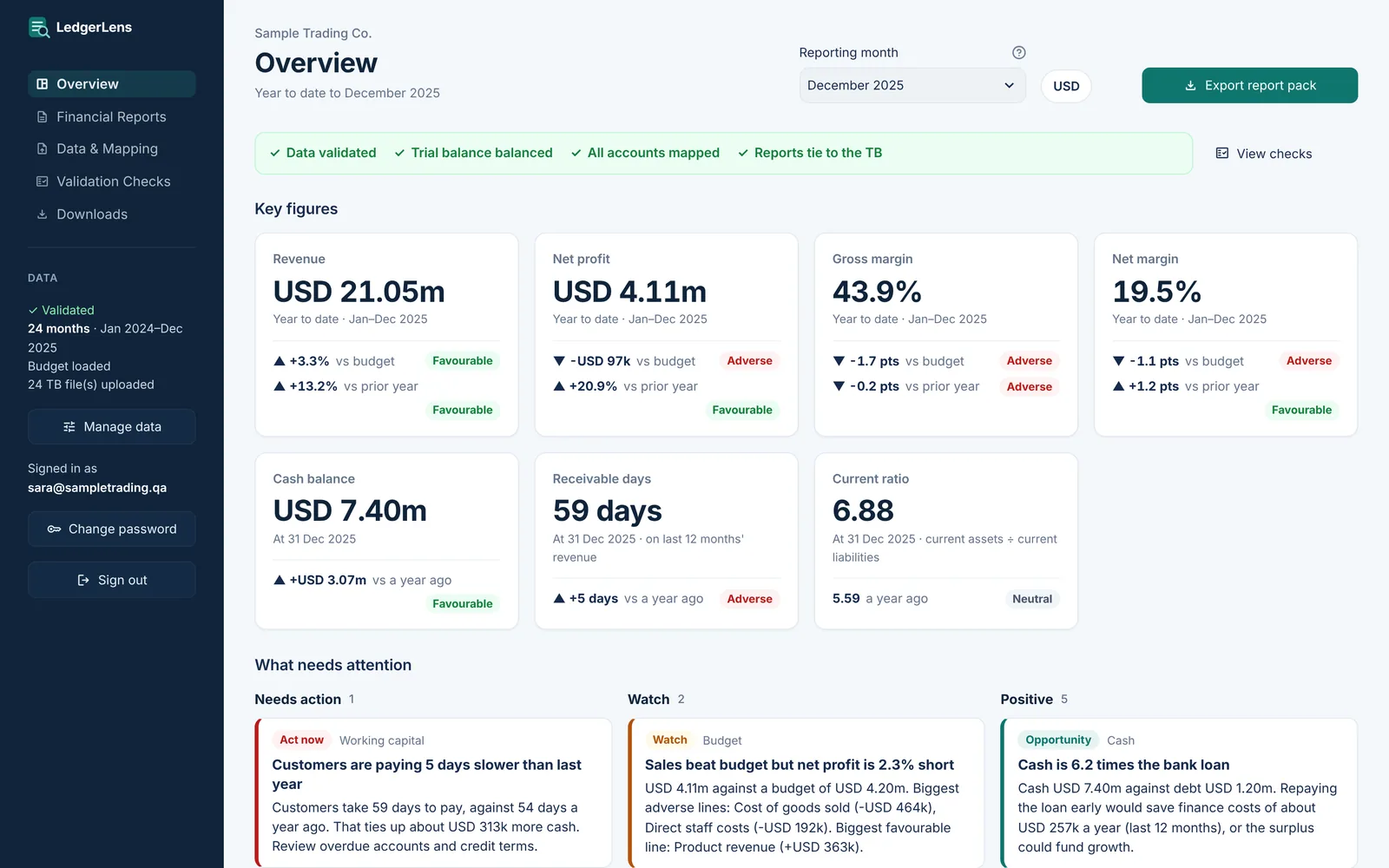
Sample company data. Amounts in USD.
LedgerLens in one minute.
From uploading a trial balance to a finished pack with cash flow, shown with a demonstration company.
Everything your management pack needs.
Financial statements
P&L, management P&L and balance sheet for the month and year to date, with budget, variance and prior year.
Cash flow statement
Indirect method, built from the trial balances and tied to the cash in your books.
Budget vs actual
Revenue and profit against budget by month and year to date, with the biggest variances by line.
Cost analysis
Costs by category, growth against last year and cost to revenue, month by month.
Ratios and KPIs
Margins, growth, current and quick ratio, DSO, DPO, cash conversion cycle, debt to equity, ROE and more.
Excel and dashboard
Download formatted Excel reports, an analytics pack with charts and a dashboard you can email as one file.
From raw trial balance to decisions.
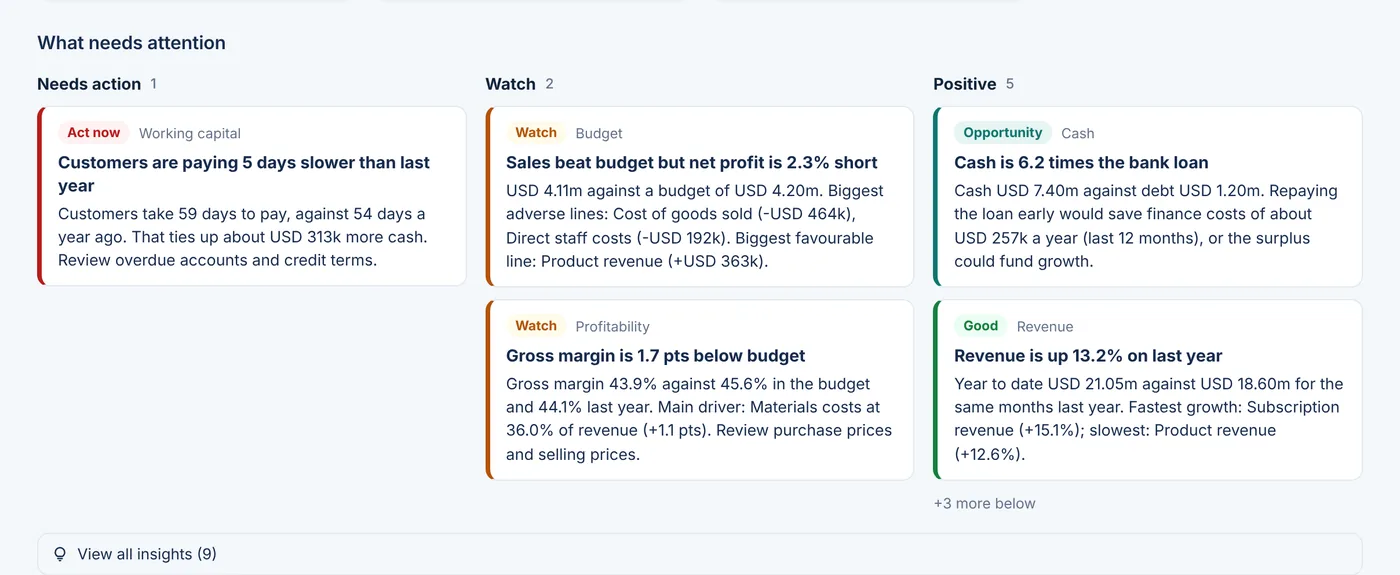
What needs attention, in plain English
LedgerLens reads the results for you and lists findings ranked by urgency, each with the numbers behind it.
- Needs action, watch and positive findings
- Margins, costs, budget, receivables and cash covered
- Rules you can adjust to your own thresholds
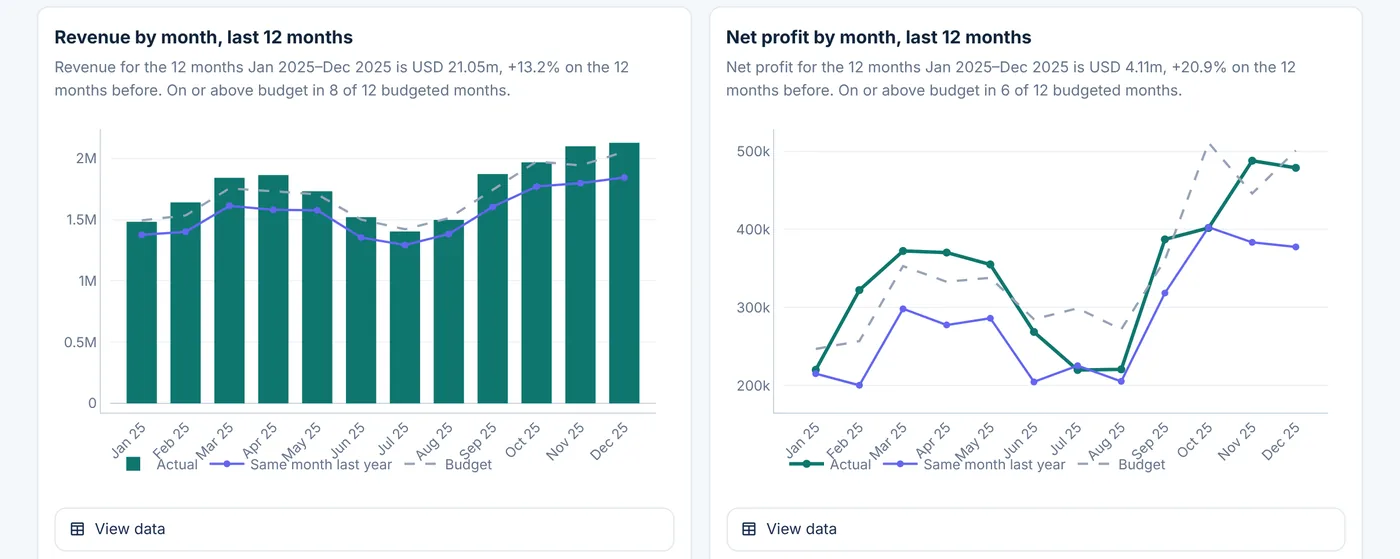
Charts with a one-line takeaway
Revenue trends, margins, costs and budget performance, each chart with a sentence saying what it shows and a table of its numbers.
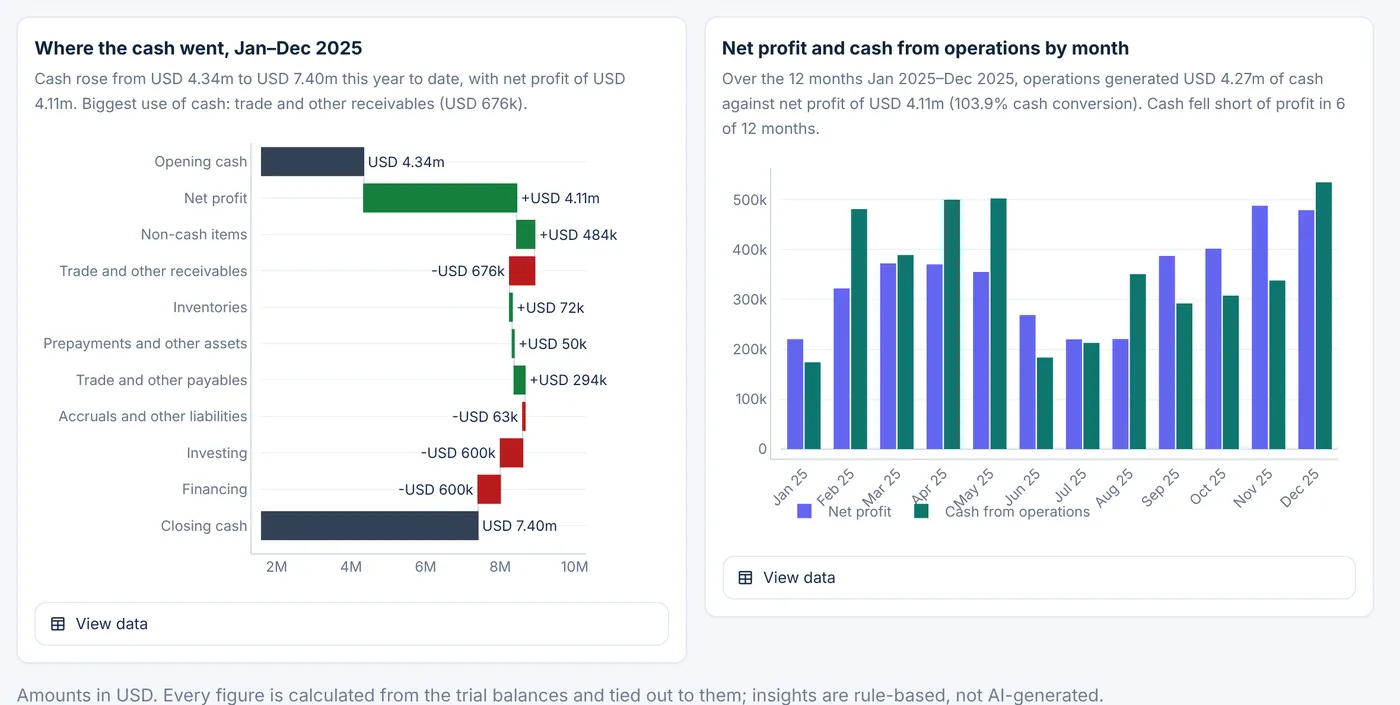
Where the cash went NEW
A cash bridge from opening to closing cash, and a month-by-month check on how much of your profit turned into cash.
- Closing cash always equals the cash in the trial balance
- Flags profit stuck in receivables or inventory
- Choose your own cash flow lines in the mapping file
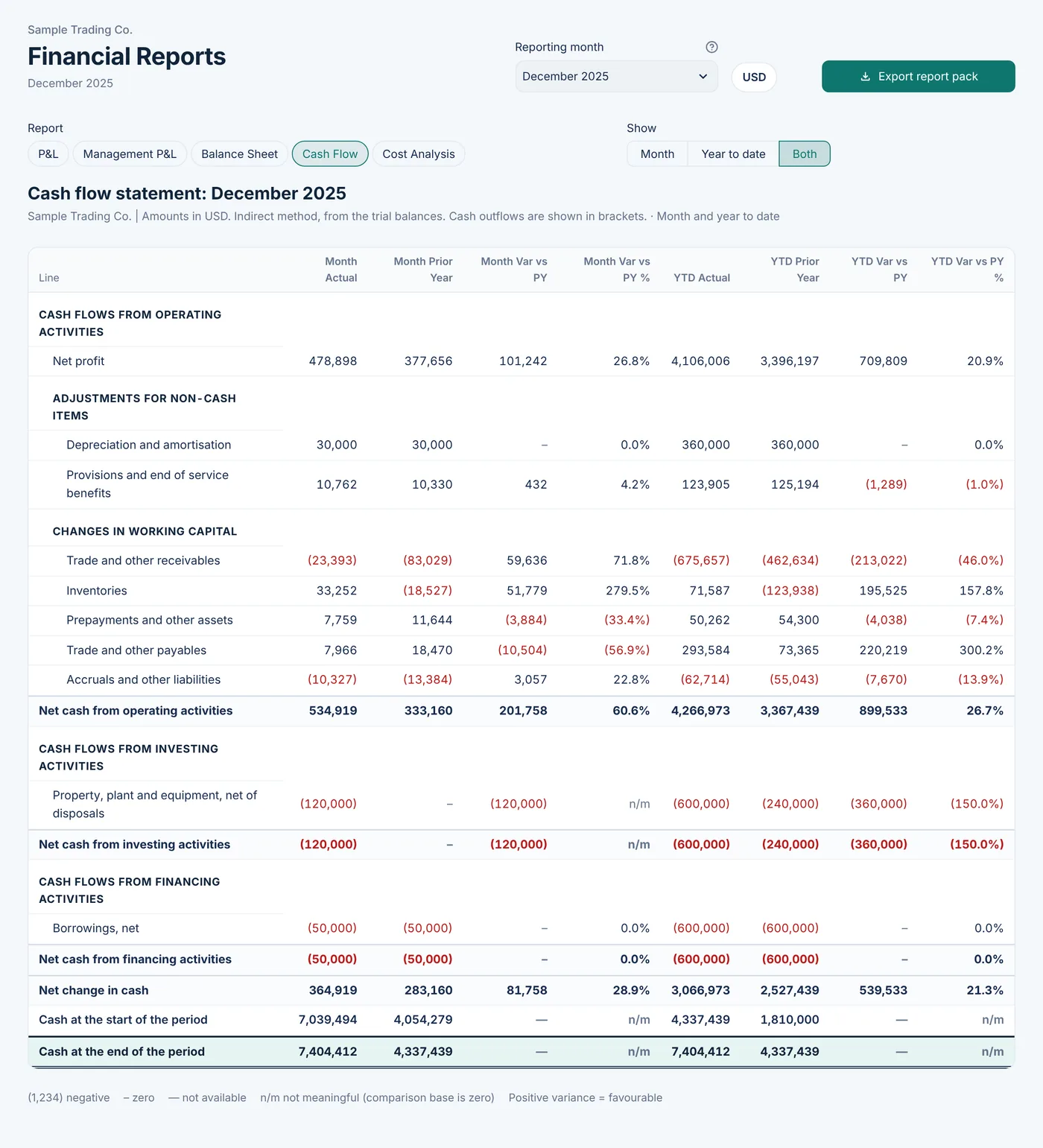
A cash flow statement every month NEW
Built from your trial balances by the indirect method, for the month and year to date against last year. No extra files to prepare.
- Net profit, non-cash items and working capital
- Investing and financing shown separately
- Included in the Excel pack and the report zip
Reports in your format
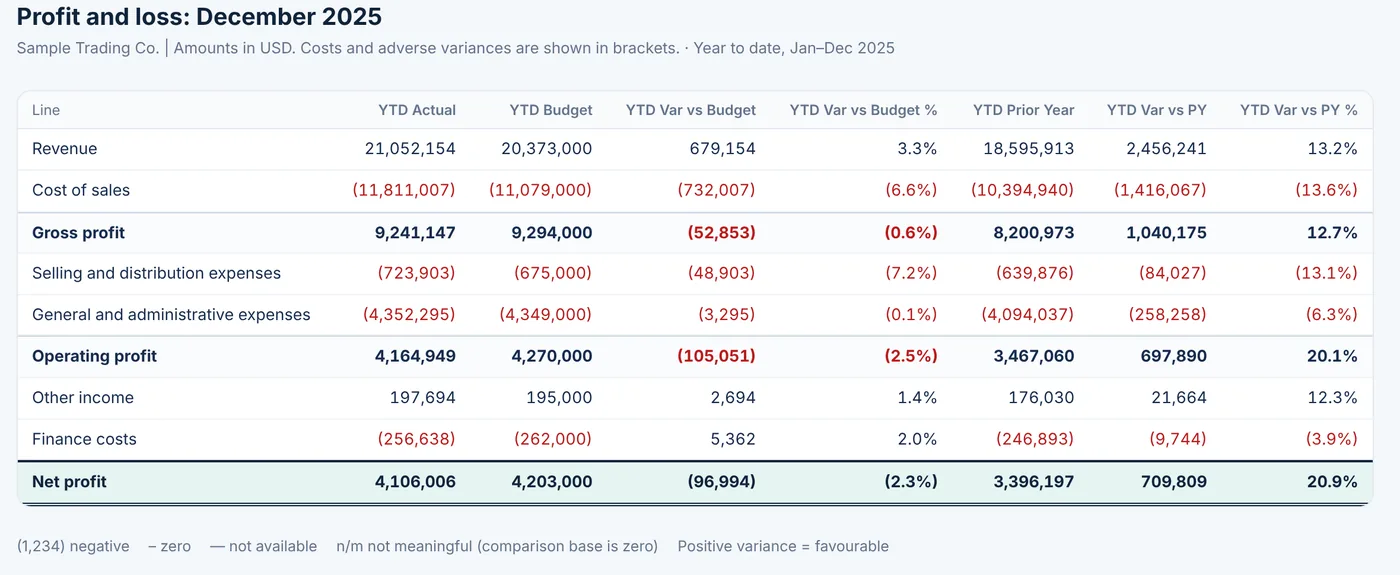
Your mapping file decides the report lines. Add a column such as Department or Branch and a "P&L by" report appears with no extra setup.
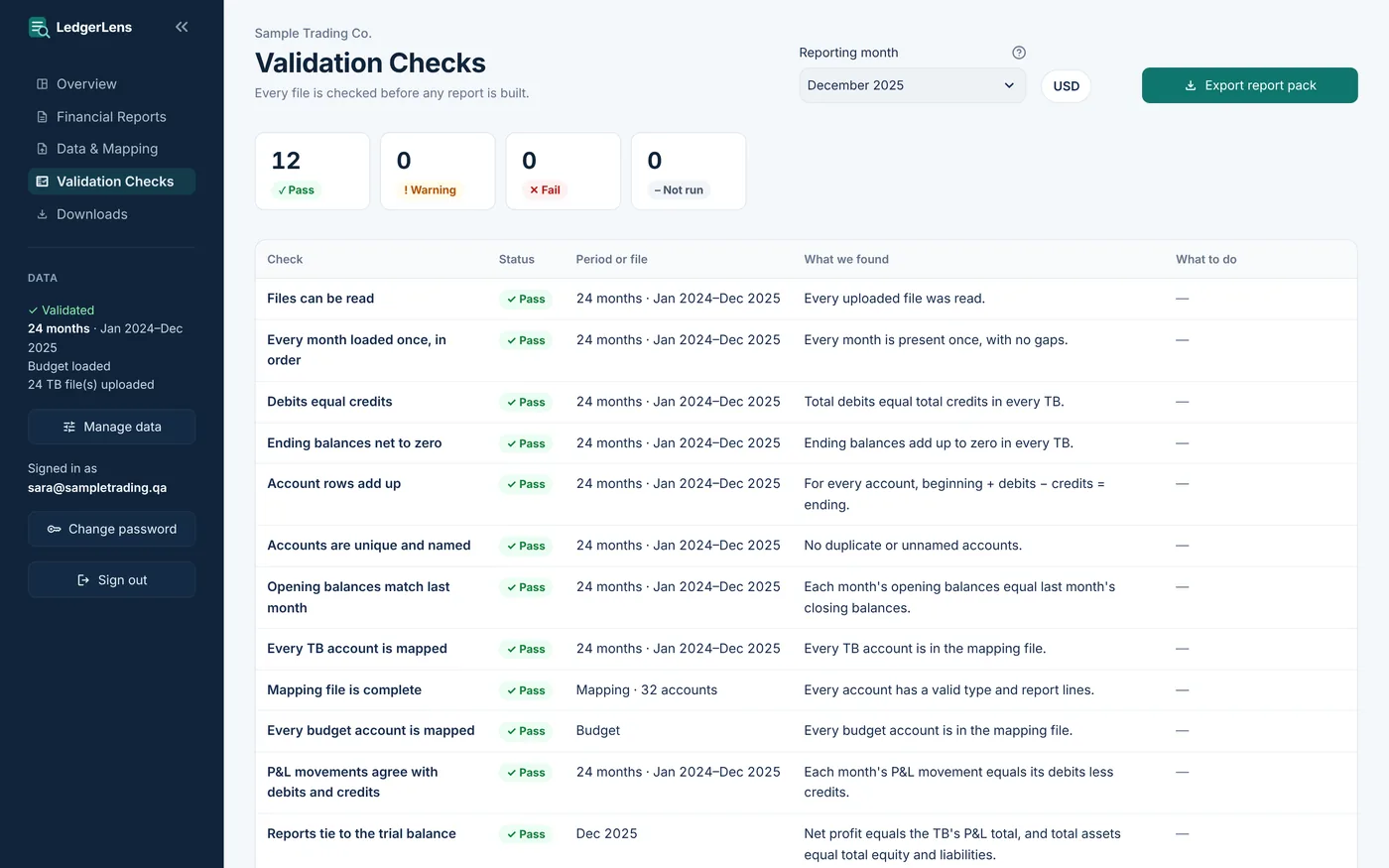
Checked before anything is built
Every trial balance is checked first: debits equal credits, balances carry forward, no month is missing and every account is mapped. New accounts are mapped in a few clicks.
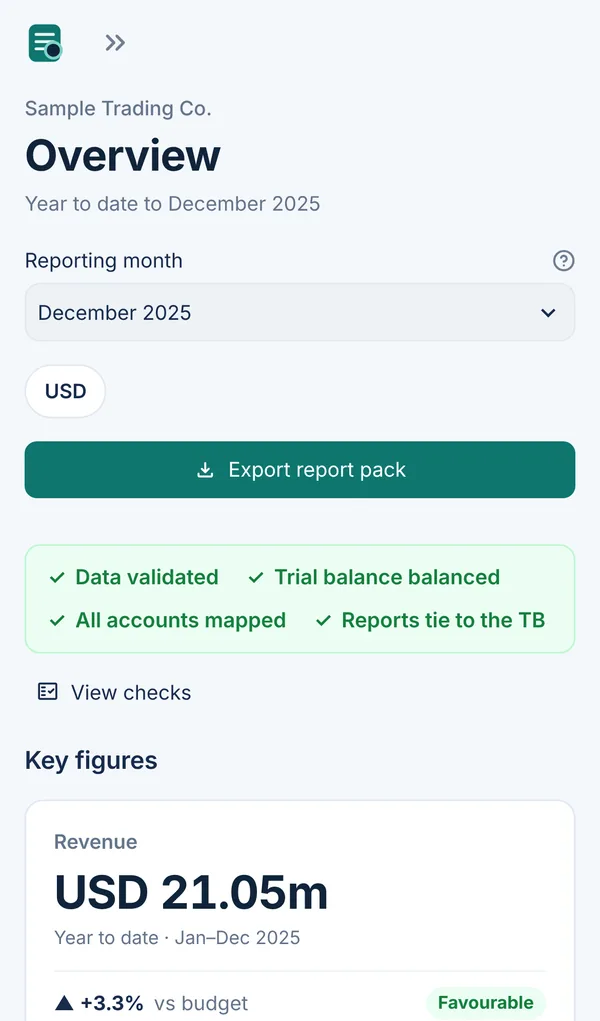
On your phone too
Check this month's numbers from anywhere. The same sign-in works on desktop, tablet and phone.
Three steps each month.
Upload
Export the month's trial balance from your system and upload it. The mapping is set up once.
Check
LedgerLens validates the data and asks you to map any new accounts before building anything.
Report
Review the dashboard and download the full pack as one zip: Excel reports, analytics and the dashboard.
Calculated, not guessed.
Every figure is calculated by tested code and tied back to the trial balance: net profit to the P&L accounts, total assets to equity and liabilities, closing cash to the cash accounts. A report that doesn't tie out is never produced.
Your company only.
Each client login sees only its own company. Passwords are stored as salted hashes, the app runs over HTTPS, and your data is never shared or used to train anything.
See LedgerLens on your own numbers.
Send us a few months of trial balances and we'll set up a pilot so you can judge the result yourself.